Freedom is the app blocker people recommend when the distraction follows them from phone to laptop, and they're right to. The Freedom app blocker syncs one blocklist across your computers and your iPhone, and its Locked Mode is built to stop you quitting a session early. On iPhone, though, Freedom's own help center admits two gaps. Here's where it wins, where it leaks, how to tighten it, and when a physical lock is the better alternative.

What Freedom does well
Freedom's big idea is reach. You build one blocklist, start a session, and it runs on your phone, your tablet and your computers at the same time. The App Store listing says there's no limit on devices, and the comparison table on freedom.to covers Mac, Windows, iOS, Android and Chromebook.
That matters more than it sounds. Most people who block Instagram on their phone just open it in a browser tab on the laptop ten minutes later. Freedom closes that door, because the session is the same everywhere.
You can block single apps, single websites, or the whole internet with one button. On iPhone, Freedom blocks apps through Apple's own Screen Time controls and blocks websites through a local VPN profile it calls the Freedom Profile. Its help center explains both. The app sits at 4.5 stars from about 6,100 ratings on the US App Store and needs iOS 16.1 or later.
We'll say the obvious part out loud. If your problem lives on a laptop, Freedom is a better tool than ours. Shift doesn't touch your computer at all.
What Freedom costs in November 2026
Prices below come from freedom.to and the US App Store listing, both checked on 13 November 2026. They change often, so look again before you pay.
| Plan | Price | What you get |
|---|---|---|
| Freedom Free | $0 | Block apps, websites or the whole internet, sync across unlimited devices, custom blocklists |
| Freedom Premium, monthly | $8.99 a month | Adds schedules, recurring sessions and Locked Mode |
| Freedom Premium, yearly | $39.99 a year, 7-day free trial | Same as monthly |
| Freedom Forever | $199 list, $99.50 on sale when we checked | Premium with no subscription |
| Shift | 199 zł once | Physical puck, 3 months of Shift+, then the free tier for good |
One oddity. The App Store's in-app purchase list also shows tiers at $12.99 a month and $59.99 a year next to the $8.99 and $39.99 ones. That usually means older price points are still live for some accounts, so check which one your phone actually offers you.
The free plan is generous. The catch is that the features that stop you quitting, Locked Mode and schedules, sit behind Premium.

Where Freedom's lock leaks on iPhone
Locked Mode is the reason people pay. According to Freedom's own Locked Mode help page, updated in July 2026, it stops you removing items from a blocklist in a running session, deleting devices, or changing your time zone mid-session. On iPhone you also can't log out of the app while a session runs. And you can only use End Session once in any 7-day period.
That's a real lock. It also has two gaps, and Freedom is upfront about both.
The weekly early exit
Once a week you get to quit. The release notes for version 7.16 say Weekly Early Exit and Daily Session Break are now simple toggles, with the option to remove either one for good. Version 7.8 added a five-minute break during a session without ending it. Each of those is a sensible feature for a good day. On a bad night, each one is a door.
The Screen Time permission switch
This is the bigger one. The same help page says Locked Mode doesn't stop someone disabling Freedom's Screen Time permission in the iPhone's Settings app. Flip that switch and the app blocks are gone, session or no session.
This isn't really a Freedom bug. The switch is part of iOS, and our app uses the same Screen Time access, so the same advice applies to Shift. It's a reminder of where the problem sits. The lock and the key live on the same phone, and you're the one holding it at midnight.
The research backs up how ordinary that is. In Digital Addiction, published in the American Economic Review in 2022, Hunt Allcott, Matthew Gentzkow and Lena Song found that letting people set limits on their future screen time substantially reduced use. Their model put 31 percent of social media use down to self-control problems. People want the limit. They just keep overruling the person who set it.
How to make Freedom stricter on iPhone
If you're keeping Freedom, and plenty of people should, here's how to shut the gaps it leaves open.
- Turn on Locked Mode everywhere. It's switched on separately in the web dashboard and in the app on each device. Miss one device and that's where you'll end up.
- Remove the early exits. If you've used the weekly exit three weeks running, it's not an emergency button any more. Turn Weekly Early Exit and Daily Session Break off for good.
- Set a Screen Time passcode. Freedom's guide to stopping people disabling its Screen Time permission says to go to Settings, Screen Time, Lock Screen Time Settings and create a passcode. It needs iOS 26.4 or later. Then try to switch off Freedom's access to check it asks for the code.
- Give the passcode to someone else. Freedom suggests this too. A code you chose yourself is a second tap. A code your flatmate holds is a conversation you'd rather not have.
- Use Screen Time blocking for apps. With the VPN method alone, a blocked app still opens and just fails to load. Screen Time blocking stops it opening at all.
- Run an always-on schedule. Freedom recommends pairing the passcode with Locked Mode and a schedule that's always active, so there's no gap between sessions to slip through.
Do all six and Freedom becomes a strict blocker. If you still find a way round it, the setup isn't the problem. The key is just too close. That's when a physical app blocker like Shift starts to make sense.

When a physical blocker is the better Freedom alternative
Disclosure first. We make Shift, so weigh this section with that in mind.
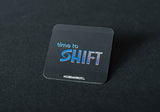
Shift is a small puck with a magnetic wall mount. Tap your iPhone on it and the apps you picked lock. Tap again to unlock. Put it in the hallway and getting back into Instagram means getting up and walking to the hallway. The key stops living in your pocket.
It runs with the free Nobrainrot app on iPhone. In the app, Hardcore mode means a session can't be stopped once it starts, and strict mode stops you changing the mode or deleting the app during a block. If you really need out, you get 5 emergency unlocks.
Shift costs 199 zł once. That includes 3 months of Shift+ and a free sticker. After that the device keeps working on the free tier, so you never pay again to keep it working. There's a 30-day money-back guarantee. Across users who kept a mode running for at least two weeks, the app measures an average of 2 hours 13 minutes a day saved.
Same honesty as above. Shift uses Screen Time access too, so the same Settings switch exists. The same fix works: a Screen Time passcode that someone else holds. What changes is the everyday unlock. With Freedom it's a button on the phone. With Shift it's a wall in another room.
Freedom or Shift: which one fits you
- Your distraction lives on the laptop: Freedom. Nothing else on this page blocks your Mac or PC.
- You want something free and decent: Freedom's free plan, or the free Nobrainrot app on iPhone.
- You keep quitting software sessions on your phone: a physical lock. Shift moves the key to your wall.
- Both of the above: use both. Freedom on the computer, Shift on the phone. They don't conflict.
- You're not sure how bad it is: take the phone addiction test first. It takes about ninety seconds.
Still comparing software? Our Opal alternative and BlockerX alternative pieces cover those two the same way. If you're deciding between Apple's built-in limits and a physical lock, read Screen Time vs a physical app blocker. And for the habits around whatever blocker you choose, start with how to reduce screen time.
Frequently Asked Questions
Yes. The free plan blocks apps, websites or the whole internet and syncs sessions across unlimited devices. Premium adds schedules, recurring sessions and Locked Mode for $8.99 a month or $39.99 a year on the US App Store, checked in November 2026.
Yes, in two ways that Freedom documents itself. Locked Mode still lets you end one session every 7 days unless you remove the weekly early exit, and it doesn't stop you switching off Freedom's Screen Time permission in Settings. A Screen Time passcode held by someone else closes the second gap on iOS 26.4 or later.
Freedom blocks apps through Apple's Screen Time controls and blocks websites through a local VPN profile called the Freedom Profile. With the VPN alone, a blocked app can still open but its content won't load, so use Screen Time blocking for apps.
Freedom Forever lists at $199 and was on sale for $99.50 on freedom.to when we checked. At $39.99 a year, the sale price pays for itself in about two and a half years. If you mainly need a laptop blocker for the long run, it's good value.
If Freedom works for you, keep it. If you keep ending sessions on your phone, move the key off the phone. Shift is a wall-mounted puck you tap to lock and unlock your apps, 199 zł once with a 30-day guarantee.
Yes. Freedom covers your Mac or PC, Shift covers the apps on your iPhone. Many people need exactly that split, because the laptop and the phone fail in different ways.

Let Freedom guard the laptop. Put the phone's key on the wall.
Get Shift: 199 zł, 30-day guarantee →
More on Brain Fuel: Opal Alternative · Screen Time vs a Physical App Blocker

Tieni il telefono. Blocca il feed.
WhatsApp, Spotify e le mappe restano aperti. Il feed no.
Spedizione entro 48 h · 30 minuti in meno al giorno, o rimborso garantito