The blocker that cannot
be talked out of it.
Nobrainrot is an app blocker for iPhone. It locks the apps you chose and removes the button that lets you change your mind.


Five hours and sixteen minutes. That is the average American day on a phone, often without realising. It is time to take some of it back.
Harmony Healthcare IT, 1,001 US adults reading their own Screen Time, December 2024.

Build a mode for every part of the day
Work, Family, Sleep, Study. Pick the apps to block once and the rest of the week runs itself.

Lock on at ten, off at seven
Block apps on a schedule, weekdays only if you want. Set it once and stop deciding every night.

No loopholes, no negotiating
During a block you cannot uninstall Nobrainrot, change the mode, or alter your phone settings.

See the time you got back
A daily goal, a streak that only counts clean days, and every hour of screen time you won back since you started.
Average time back
thanks to Nobrainrot
2h 13m
saved daily
* Measured in the Nobrainrot app from daily locked time across users who kept a mode running for at least two weeks.
Over a lifetime
that is
4.8 years
of life reclaimed
* 2h 13m a day, measured in the app, from age 28 to 80.

The app is good.
With the puck it is unarguable.
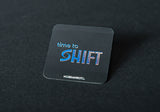
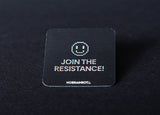
A timer can be waited out. Shift moves the unlock off the phone entirely. You walk to the puck and tap it, and most of the time you change your mind on the way.
Get Shift 199 złWe cannot see which apps you block
On iPhone, the apps you pick reach us as hashed tokens that even we can't read. Your detailed screen time is processed by Apple on your phone and never sent to us.
No ads
Not now, not later.
No data brokers
We don't sell your data. Brokers and advertisers never get it.
No cross-app tracking
The app doesn't follow you into other apps or websites.
Questions about the app blocker
How do I block apps on my iPhone with Nobrainrot?
Make a mode, pick the apps you want gone, and start a session with a timer, a schedule or the Shift puck. Until the session ends, a blocked app shows a shield screen instead of your feed.
Is Nobrainrot free?
Yes. You can download it and block apps without paying anything. Nobrainrot Pro is an optional subscription that unlocks full access to break settings.
How is Nobrainrot different from Apple Screen Time?
Screen Time gives you an Ignore Limit button, and you know exactly where it is. Nobrainrot doesn't have one. Turn on strict mode and you also can't delete the app or change the mode until the block ends.
Do I need the Shift device to use the app?
No. The app blocker works on its own. The Shift puck is optional. It moves the unlock off your phone, so ending a session means getting up and tapping it.
Can I block apps on a schedule?
Yes. Set a start time and an end time, pick the days, and the block turns on by itself. Weekday mornings, school nights, whatever you keep losing to your phone.
What if I really need an app during a block?
That depends on the mode you picked. Easy break lets you take a break or stop whenever you want. Hardcore can't be stopped until the timer runs out. With the Shift device, only a tap on the puck ends it.
Which phones does Nobrainrot work on?
iPhones running iOS 16 or later. The Android version is coming soon.
Can Nobrainrot see which apps I use?
On iPhone, no. The apps you choose reach us as tokens we can't read, and Apple processes your screen time on the phone itself.
Available on iPhone.
Android coming soon.
Free to download. Free to use. No account until you want one.